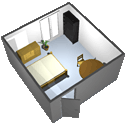
Sweet Home 3D
Design Your Dream Space with Sweet Home 3D
Introduction
For professionals and enthusiasts alike, finding the right design software can be a daunting task. Sweet Home 3D, a product under the GNU banner, emerges as a beacon of user-friendly functionality in the realm of interior design software. The platform caters to a range of users, from homeowners looking to renovate to architects crafting detailed models. This in-depth review explores the various facets of Sweet Home 3D and why it stands out in the market.
User Interface and Experience
First impressions matter, and Sweet Home 3D does not disappoint. The interface is intuitive and straightforward, making it accessible even for those with minimal design experience. The drag-and-drop functionality allows for easy placement of furniture and fixtures, providing a seamless design process.
The software splits the screen into two main sections: a 2D floor plan and a 3D preview. This dual-view approach allows users to see the impact of their design choices in real-time, a feature that greatly enhances the user experience. Adjusting dimensions, adding textures, and changing colors can be achieved with a few simple clicks, proving that Sweet Home 3D prioritizes efficiency and simplicity.
Features and Capabilities
Sweet Home 3D comes packed with features that support both basic and complex design needs. Its extensive library of objects is a standout, offering a wide range of furniture, appliances, and accessories to populate your design. Users can also import additional models, ensuring that the possibilities for customization are virtually endless.
The software includes tools for creating accurate walls and partitions, essential for detailed floor plan creation. Users can also insert doors and windows with precision, thanks to the snap-to-grid feature that aids alignment. For those seeking to visualize their designs in different light conditions, Sweet Home 3D offers a sun study tool, enabling users to simulate lighting at various times of the day.
Performance and Reliability
Performance is a critical factor in design software, and Sweet Home 3D does not disappoint. The application runs smoothly on various hardware configurations, ensuring that design processes are not hindered by technical hiccups. The 3D rendering engine is efficient, producing quality visuals without requiring extensive computing resources.
Reliability is another cornerstone of Sweet Home 3D's appeal. Users report that the software is stable and crash-resistant, even when handling complex designs. This reliability is paramount for professionals who cannot afford to lose their work due to software failures.
Collaboration and Sharing
In the modern work environment, collaboration is key. Sweet Home 3D facilitates this by allowing users to save their designs in various formats, including PDF, SVG, and OBJ. This flexibility means that sharing designs with clients, colleagues, or friends is hassle-free, and collaborating on projects is simplified.
Furthermore, Sweet Home 3D supports plugin extensions, which can enhance the software's functionality and allow for more specialized design tasks. This feature shows the software's commitment to catering to a diverse user base with varying needs.
Value for Money
When it comes to value, Sweet Home 3D shines. It is an open-source application, which means it is free to download and use. For businesses and individuals on a tight budget, Sweet Home 3D provides a robust set of design tools without the hefty price tag often associated with professional design software.
Final Verdict
Sweet Home 3D is a compelling choice for anyone in need of reliable and intuitive design software. It balances simplicity with a robust feature set, making it suitable for both beginners and seasoned professionals. The software's performance, coupled with its extensive object library and collaboration capabilities, makes it a standout choice in the field of design software.
While Sweet Home 3D may not have the brand recognition of some high-end competitors, it more than makes up for it in accessibility, reliability, and overall value. Whether you are looking to renovate your home or design a new office space, Sweet Home 3D is a tool that is well worth considering.
Developer
GNU
Languages
English
Linkedin page

Year founded
1984