KiCad EDA
Design PCBs with Precision: KiCad EDA Unleashes Creativity
Introduction to KiCad EDA
KiCad EDA is a robust, open-source software suite designed for electronic design automation (EDA), focusing primarily on the creation of professional-grade Printed Circuit Boards (PCBs). As a comprehensive tool, KiCad empowers engineers, hobbyists, and educators by providing an end-to-end design environment. Its uniqueness lies in its license-free accessibility, fostering an extensive community of contributors and users who continuously refine its capabilities.
User Interface and Experience
Upon launching KiCad EDA, users are greeted with a clean, albeit traditional, user interface that emphasizes functionality over aesthetic flair. While the learning curve may be steep for newcomers, the interface is intuitively organized, making it easier for users to navigate through the various stages of PCB design—from schematic capture to PCB layout and finally, to viewing the 3D rendering of their board.
Schematic Capture
The schematic capture module, Eeschema, is a powerhouse allowing for complex circuit design. It includes a vast library of components and the ability to create custom components, which is invaluable for specialized projects. The hierarchical schematic editor enables the management of multi-sheet designs, streamlining the process of handling intricate circuits.
PCB Layout Editor
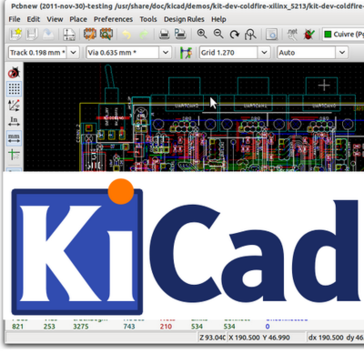
KiCad's PCB layout editor, Pcbnew, boasts a suite of sophisticated tools to execute precise board layouts. Features like the interactive router and push and shove capabilities are impressive, making the manual routing of traces both efficient and satisfying. Pcbnew supports everything from single-layer boards for simple projects to intricate multi-layer designs for advanced applications.
3D Visualization and Modeling
One of KiCad EDA's standout features is its 3D viewer. This tool provides a high-fidelity visual representation of the finished PCB, including components, which can be rotated and examined from every angle. This functionality is not only useful for aesthetic verification but also serves as a critical check for spatial constraints and potential assembly issues.
Library Management
KiCad's library management system is comprehensive and flexible, allowing users to tap into an extensive selection of parts or to build their own libraries. The active community behind KiCad continuously contributes to the component libraries, keeping them up-to-date with the latest parts, which is a testament to the collaborative spirit that open-source software encourages.
Gerber File Generation
When it comes to taking designs from screen to production, KiCad excels with its Gerber file generation capabilities. The output is compatible with industry standards, ensuring that the PCBs produced are of the highest quality. KiCad also supports other important file formats for PCB fabrication, making it a versatile tool for professionals.
Documentation and Community Support
For software as intricate as KiCad EDA, documentation and support are crucial. The KiCad community provides a wealth of knowledge through forums, tutorials, and FAQs. Moreover, the project's documentation is well-structured and continuously updated, providing valuable guidance for both beginners and seasoned users. This community-driven support model is integral to KiCad's success and user satisfaction.
Conclusion
KiCad EDA is a formidable tool in the realm of PCB design. Its comprehensive feature set, combined with the freedom of open-source collaboration, makes it a compelling choice for anyone looking to delve into the world of electronics design. While it may present a learning challenge, the payoff in terms of capability and cost (free!) is undeniable. Whether you're a student, a hobbyist, or a professional engineer, KiCad EDA equips you with everything you need to bring your electronic inventions to life. In the spirit of continuous improvement, KiCad EDA not only keeps pace with industry demands but often sets the bar for what a community-driven software project can achieve.
Developer
GNU
Languages
English
Linkedin page

Year founded
1984